9,447
DXF Files Processed
Upload DXF files, generate optimized sheet layouts, and cut material waste — in your browser.
New users get a 7-day free trial. No credit card required.
Start with a 7-day free trial, then the Free plan. Upgrade anytime.
Demo Project — 98% utilization — layout 1 · 1 of 25 · +22 more in full results
Saved nest with 25 sheets and 1400 part types.
DXF Files Processed
Nesting Jobs Completed
Sheets Optimized
Sheets Saved (Est.)
One plan · Both tools
Nest optimized layouts and quote cutting jobs from the same DXF files — included in every plan.
Included
Upload parts, set quantities, and generate optimized sheet layouts that maximize material utilization and reduce scrap.
Included
Set your machine rates and material costs once. Upload a DXF and get an itemized quote with margins — in minutes.
One account. One plan. Both tools included. — $12/month · 7-day free trial
Higher utilization means fewer sheets per job — and that's money back in your pocket.
Saved nest with 6 sheets and 2200 part types.
Quote any job in minutes
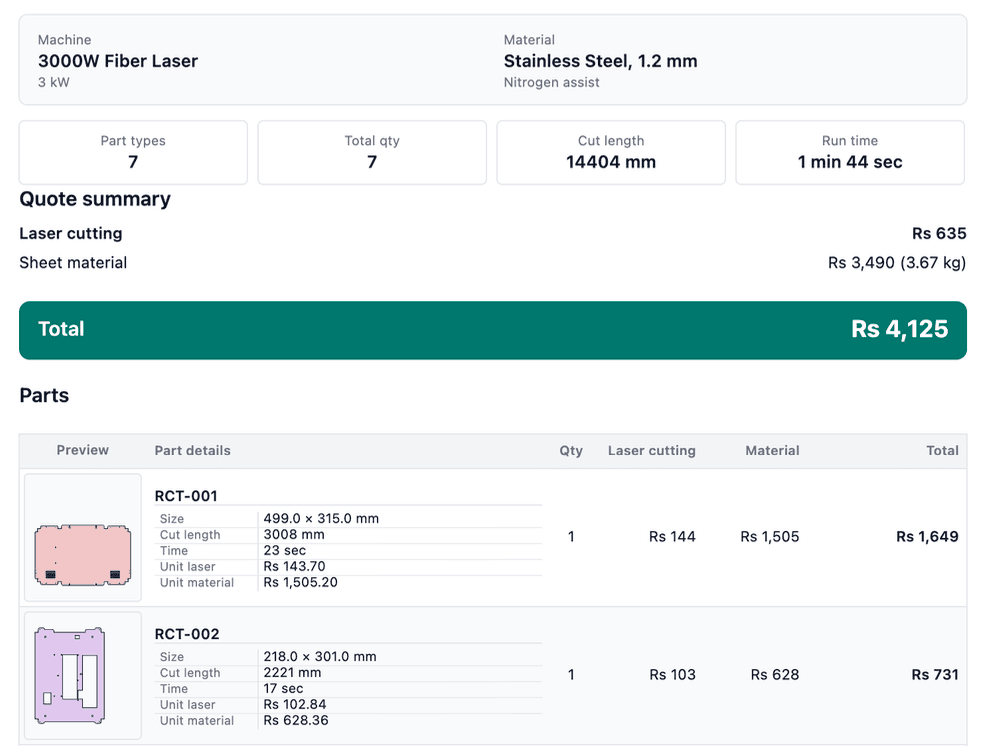
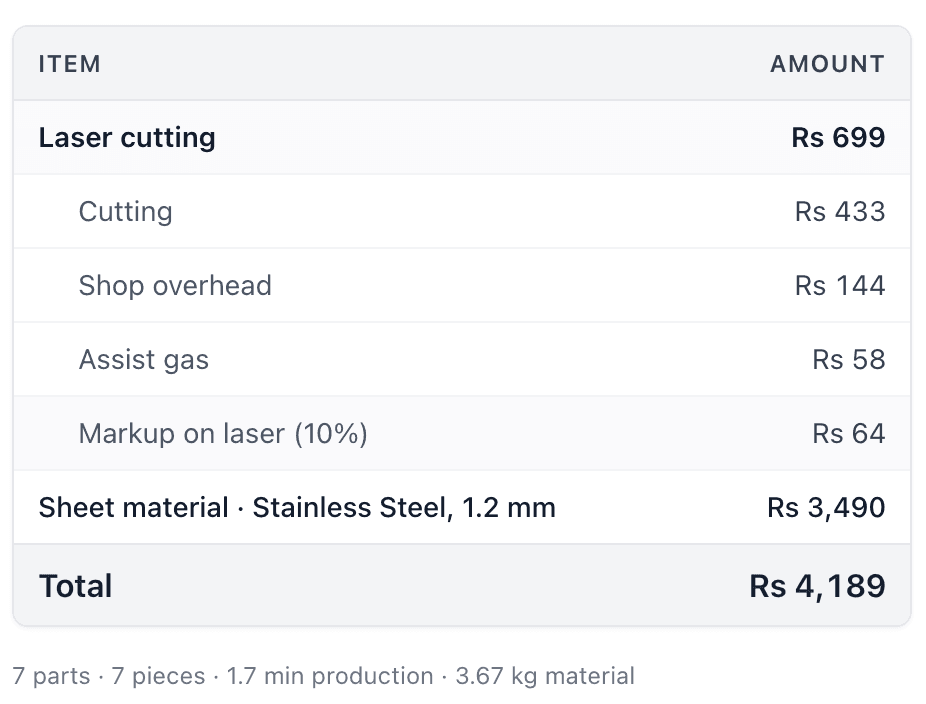
The cost calculator walks you through machine rates, material pricing, and DXF geometry — and outputs an itemized quote you can save or send as a PDF.
Build the quote in the workflow view, then review every line item before exporting PDF.
New users get a 7-day free trial. Upgrade to $12/month when you need unlimited access. No credit card required.
Nesting, quoting, and how the free plan works.
New users get a 7-day free trial of both tools. Upgrade once when you're ready for unlimited access.
7-day free trial · No credit card required · Cancel anytime
Video walkthrough
Follow a full sample job—from upload and quantities to sheet size, spacing, live progress, layout preview, and PDF export. About 8 minutes · 20 screenshot steps on the full guide.
| Feature | Free | Paid ($12/month) |
|---|---|---|
| DXF uploads (nesting) | 50 uploads (lifetime) | Unlimited uploads |
| Nesting jobs | 2 jobs (lifetime) | Unlimited jobs |
| (DXF/SVG) Export | 20 exports (lifetime) | Unlimited exports |
| Nesting PDF reports | 5 PDF reports (lifetime) | Unlimited PDF reports |
| Parts per file | 250 parts | Unlimited parts |
| Sheets per project | 200 sheets | Unlimited sheets |
| Max DXF file size | 25 MB | 25 MB |
| Calculator DXF uploads | 30 uploads (lifetime) | Unlimited uploads |
| Quote recalculations | Unlimited recalculations | Unlimited recalculations |
| Saved quotes | 5 quotes (lifetime) | Unlimited quotes |
| Quote PDF exports | 10 PDF exports (lifetime) | Unlimited PDF exports |
Sheet2Nest (https://sheet2nest.com) is a browser-based platform for 2D sheet fabrication. It includes online DXF nesting for laser, CNC, and plasma cutting and a laser cutting cost calculator for DXF-based quotes. Upload ASCII DXF files, run nesting or quoting in the wizard, and export DXF, SVG, or PDF outputs depending on your plan. No desktop install or CAD license is required.
Sheet2Nest is built for laser, CNC, plasma, and waterjet shops, job shops, and fabricators who need fast online DXF nesting and itemized cutting quotes. It suits teams that want to avoid desktop nesting installs while still getting CAM-ready layouts and customer-ready PDF reports from the same DXF files.
Sheet2Nest runs entirely in the web browser with a guided nesting wizard and integrated cost calculator on one subscription. Desktop tools such as Deepnest are installed locally; Sheet2Nest focuses on cloud DXF upload, automatic part detection, browser-based nesting optimization, and exports without maintaining separate CAD or nesting installs.
No. Sheet2Nest runs entirely in your browser. No download, no CAD license, no IT setup required.
DXF files. Parts are detected automatically from closed contours — minimal manual setup before you run a nest.
Results depend on part geometry, but many jobs see 20%+ scrap reduction compared to manual layouts. The utilization report shows you exactly what the algorithm achieved.
Yes. The two tools are independent. Open the calculator, upload your DXF, and generate a quote without ever running a nesting job.
You set an hourly cutting rate, overhead, pierce time, and markup on step one. Choose from 13 laser machine presets from 500W to 20kW — or enter your own rates.
Yes. Paid accounts can save unlimited quotes and export itemized PDFs. Free accounts include 10 saved quotes and 10 PDF exports.